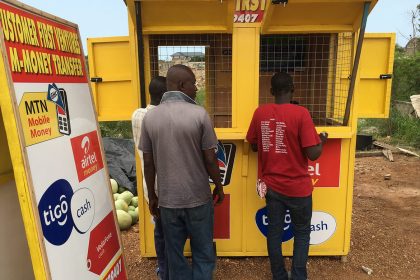
Sending money to Nigeria using Mobile Money (MoMo) is now a streamlined process, especially if you are sending from another African country like Ghana.
Because Nigeria uses a “Payment Service Bank” (PSB) model for MoMo, you can send money directly to a recipient’s MoMo wallet or their bank account.
Here is a step-by-step guide on how to get it done.
Method 1: Using USSD (Direct MoMo to MoMo)
This is the most common method for users in countries like Ghana. MTN has integrated a cross-border feature that allows direct Cedi-to-Naira transfers.
- Dial the MoMo Code: Dial *170# on your MTN phone.
- Select Transfer Money: Choose Option 1 (Transfer Money).
- Select Cross Border: Look for the “Cross Border Payment” option (usually Option 7).
- Select Payment Provider: Select a provider from the list, select an option, and choose Nigeria
- Enter Recipient Details:
- Enter the recipient’s phone number (starting with the country code 234).
- Confirm the recipient’s name
- Enter Amount: Input the amount in your local currency. The system will usually show you the converted Naira equivalent.
- Confirm & Pay: Review the transaction details, enter your MoMo PIN, and you will receive a confirmation SMS.
Method 2: Using the MoMo App
If you prefer using a smartphone app, the process is visual and often allows you to see the exchange rates upfront.
- Step 1: Open your MoMo App and log in.
- Step 2: Tap on the Transfer icon and select “Cross Border Payment“
- Step 3: Select Method/Payment Provider
- Step 4: Enter the recipient’s mobile number and the amount.
- Step 5: Select the purpose of the transaction (e.g., Family Support).
- Step 6: Review the summary and authorize with your PIN or Biometrics.
💡 Key Tips for Success
- Check the Limits: Depending on your account tier, there may be daily limits (e.g., Tier 1 accounts in Nigeria often have a 50,000 Naira daily limit).
- Fees: MTN typically charges a transaction fee (around 3-4%) for cross-border transfers. Always check the total cost before hitting “Send.”