




WhatsApp is rolling out scheduled messages, one of its most requested features. Users can write a message when they think of it and choose when it arrives.
The delivery window runs from 10 minutes to 14 days. The feature works in one-on-one chats and group chats. WhatsApp said it will reach users globally over the coming weeks.
How It Works
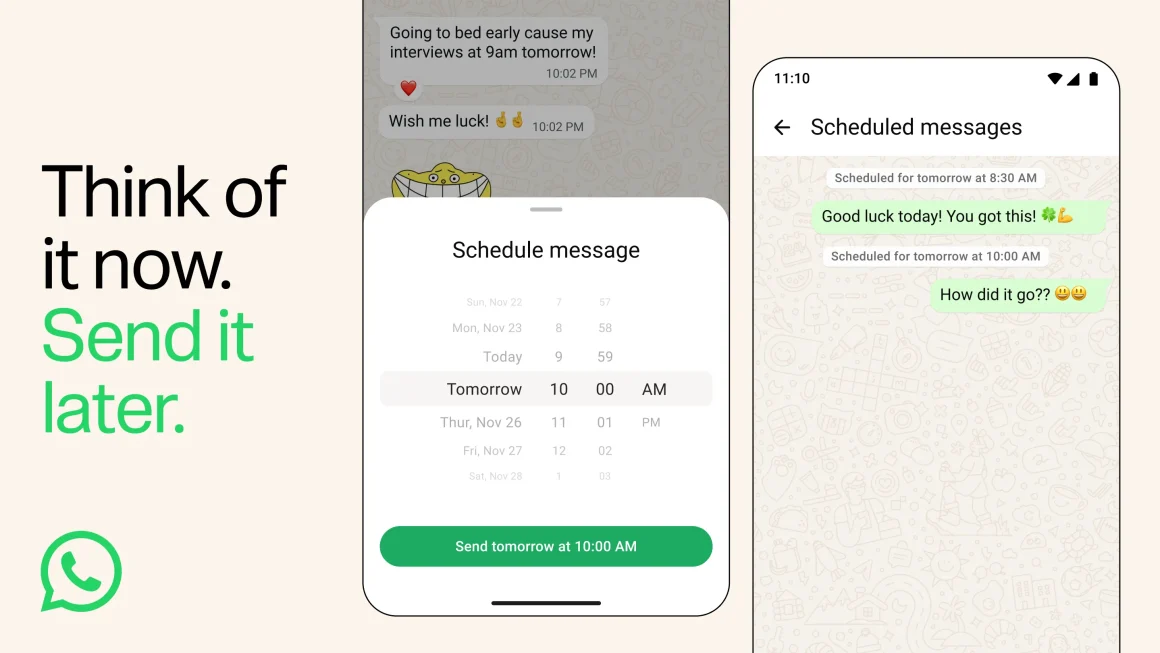
To schedule a message, press and hold the send button. Then pick a date and time.
The recipient sees an ordinary message. Nothing marks it as scheduled. Users can view all their queued messages and delete any of them before they go out.
Messages will send even if the sender’s phone is off or out of battery. Text, photos and videos are supported.
Built for Time Zones and Reminders
WhatsApp pitched the feature around everyday moments. A user may want to wish a friend luck before an exam the next morning. Another may want a birthday message to land at midnight in a friend’s time zone, not their own.
The company said the problem is timing. People think of the message now, but now is not the right moment to send it.
The 14-day cap suits those uses. It is not meant for queuing messages months ahead.
Group Chat Limits
Group chats have one safeguard, according to reports on the beta. A scheduled message goes only to people who were members when it was scheduled.
Someone who joins the group afterward does not receive it, even if they join before the send time. This keeps a message from reaching people it was never written for.
The same reports said beta testers could attach only one photo or video per scheduled message. It is unclear whether that limit will remain in the global release.
What Users Should Expect
The rollout is gradual. Not every user will see the option right away.
Users who do not see it yet should keep the app updated. The setup is simple. Hold the send button and choose a time.