



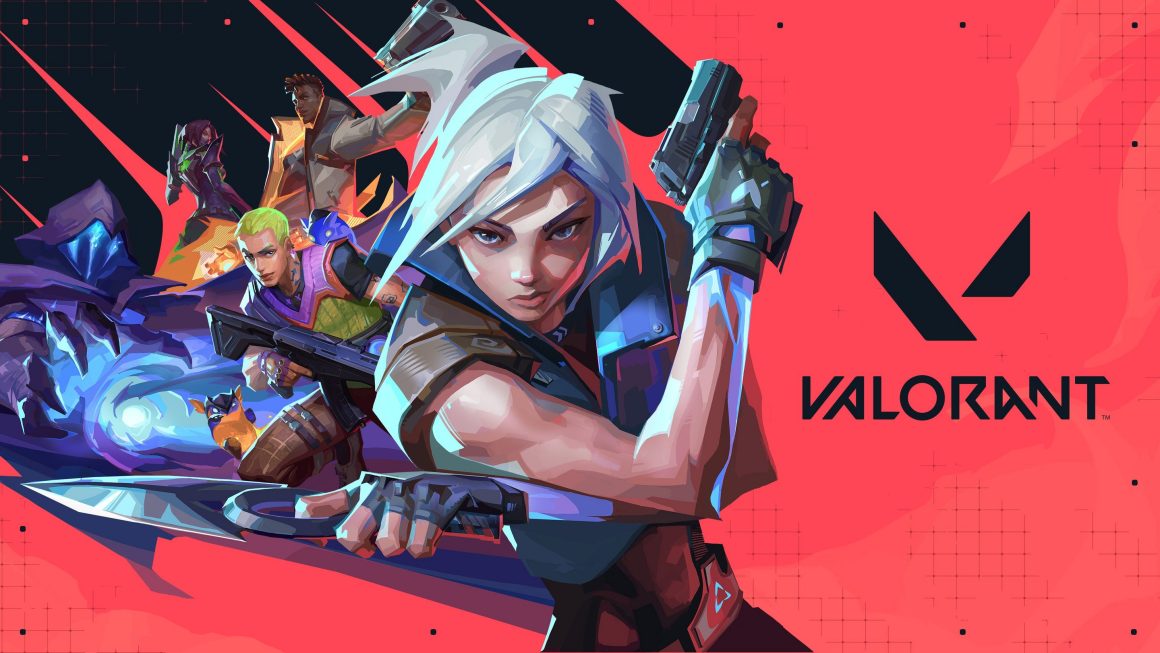
A VALORANT gift card is a prepaid code that can add VALORANT Points or another specified benefit to an eligible Riot account. Paying with crypto changes how the buyer funds the order, but it does not change Riot’s rules for the code.
The important decisions come before payment: whether the listing is truly for VALORANT, whether its region matches the intended account, which crypto asset and network the checkout supports, and how the digital code will be delivered.
This guide explains those checks and the complete Bitsika route without treating crypto as a shortcut around account or regional controls.
What a VALORANT gift card provides
VALORANT Points are the paid currency used for eligible store purchases inside VALORANT. A prepaid card is different from a direct account top-up: the seller delivers a code, and the recipient redeems that code through Riot.
It is also different from a promotional content code, which may unlock a specific cosmetic rather than add spendable points. Read the product name, denomination, currency and region instead of assuming every Riot-branded card has the same purpose.
Riot’s official guidance says prepaid cards are for PC and can be region locked. A card sold for one region may fail on an account assigned to another. The buyer should therefore confirm the recipient’s Riot account region before choosing a denomination.
A VPN, false address or artificial region change is not a legitimate fix for a mismatch. If the region is unclear, pause the purchase and ask Riot Support rather than gambling on a non-refundable digital code.
What to check before spending crypto
Prepare the purchase by confirming four pieces of information:
- The product is a VALORANT prepaid or gift card, not a code for another Riot game.
- The card region and currency are compatible with the Riot account that will redeem it.
- The selected asset and blockchain network exactly match the deposit instructions.
- The denomination, crypto total, delivery method and any stated fees are acceptable before payment.
Crypto transfers generally cannot be recalled simply because the sender chose the wrong address or network. USDT exists on several networks, so the word “USDT” alone is not enough information. Match both the token and network shown in the app. Bitcoin should be sent only to the Bitcoin address or payment route generated for that transaction. Check the amount after network fees and do not reuse an expired payment request.
How Bitsika’s crypto-funded purchase works
Bitsika lets users put crypto, including USDT and Bitcoin, into an account balance and spend that balance on gaming products. The route to buy VALORANT gift cards with crypto on Bitsika is a balance-funded purchase rather than a direct transfer from a wallet to Riot. The app is available for Android and iPhone, requires an account and applies its displayed verification and transaction limits.
1. Set up and verify the Bitsika account
Install the official Bitsika app, create the account and complete the verification requested for the intended transaction level. Use contact details you control because order information and support follow-up may depend on them. Do not give anyone the account password, wallet recovery phrase or one-time verification code.
2. Choose the crypto deposit route
Open the funding section and select the exact asset you intend to send. If using USDT, select only a network supported by both the sending wallet and Bitsika. If using Bitcoin, copy the generated Bitcoin address carefully. Compare the first and last characters after pasting, review the amount and network fee, and send from a wallet you are authorised to use. Wait for the required blockchain confirmations and for the funded balance to appear before attempting the card purchase.
3. Open the VALORANT gift-card listing
Navigate to the VALORANT gift-card product inside Bitsika. Inspect the live denominations, currency, region and balance cost. Product availability can change, so the current screen is more reliable than an old screenshot or article. Choose only a card that matches the intended Riot account. The primary product is a code; do not enter a VALORANT password or invite a stranger to log into the account.
4. Confirm the order and protect the code
Review the card details and total, then pay from the funded Bitsika balance. After confirmation, obtain the digital code through the app’s order or delivery flow. Record the order reference and keep the code private. Anyone who sees an unused code may be able to redeem its value, so never post it in a public support message or send it to someone claiming it is needed for verification.
How to redeem the VALORANT code
Riot documents redemption inside the VALORANT client. Sign in to the correct account, open the payment area beside the VALORANT Points balance, select “Prepaid Cards & Codes,” enter the code exactly as supplied and submit it. Confirm that the expected value appears before discarding the purchase receipt. Redemption belongs to Riot’s system; Bitsika manages the purchase and code delivery, not the final account crediting rules.
If the code is a gift, send it only to the intended recipient through a private channel and remind them to verify that they are signed into the correct Riot account. Codes should not be used as payment for taxes, fines, technical support or account recovery. A request like that is a warning sign for gift-card fraud.
Choosing the amount and understanding the true cost
Start with what the recipient wants to buy rather than the largest available card. Store prices and bundles can change, and leftover VALORANT Points remain tied to the Riot account. Compare the card denomination with the recipient’s likely purchase, then review the final Bitsika balance cost.
The economic total may include the market value of the crypto sent, blockchain fees and any platform terms shown before confirmation. Avoid claims that a route is automatically cheapest without comparing equivalent cards at the same moment.
Bitcoin’s fiat value can move between planning and payment. USDT is designed to track a fiat value but still involves network selection and transfer fees. A buyer who already holds one supported asset may prefer it to avoid an additional trade, but convenience does not remove the need to check the live total. Send a small test only when the platform supports it and the minimums and fees make that sensible; do not split one required payment in a way the receiving system does not recognise.
What to do if funding, delivery or redemption is delayed
First identify which stage failed. For a missing deposit, check the sending wallet’s transaction status, asset, network, address and confirmation count. For a completed card order with no visible code, check the Bitsika order history and retain the reference. For a delivered code that Riot rejects, capture the exact error without exposing the full code, verify the account region and contact the original seller or Riot Support as appropriate.
Do not make a second payment merely because the first is slow. Give support the order reference, transaction hash when relevant, time, asset, network and a redacted screenshot. Never provide a seed phrase or private key; legitimate support does not need them to trace a public blockchain transaction or review an order.
Final checklist
A sound VALORANT gift-card purchase starts with compatibility, not crypto. Confirm the Riot account region and PC eligibility, select the correct card, match the asset and network, wait for the Bitsika balance to credit, and review the final order before paying. Protect the delivered code and redeem it only through Riot’s official flow.
With those checks in place, USDT or Bitcoin can fund a practical gaming purchase without first cashing out to a bank account, while the buyer still respects the same regional, account and security rules that apply to any prepaid code.